← All episodes of Max and the ClickysEpisode 5 · The Questionnaire Says...

Your questionnaire says one thing. Now the survey does too.

Checking a programmed survey against a 200-page questionnaire by hand takes days, and the small differences are exactly the ones people miss. SurveyTester reads the questionnaire and checks the live survey your respondents will see against it.
Why checking by hand is not enough

Comparing document and survey question by question is slow, tiring work, and it has to start again with every new version.

Days of side-by-side reading

Printing the questionnaire, opening the survey and ticking off every question, option and condition takes days on a long study.

The small things slip through

A missing "Other, please specify", a reversed condition, "weekly" instead of "every week". After page 80, nobody sees them any more.

Every version starts over

The scripter fixes three things and changes a fourth. Without a check against the document, nobody knows which.

How SurveyTester checks against the questionnaire

  1. 1

    Upload the questionnaire

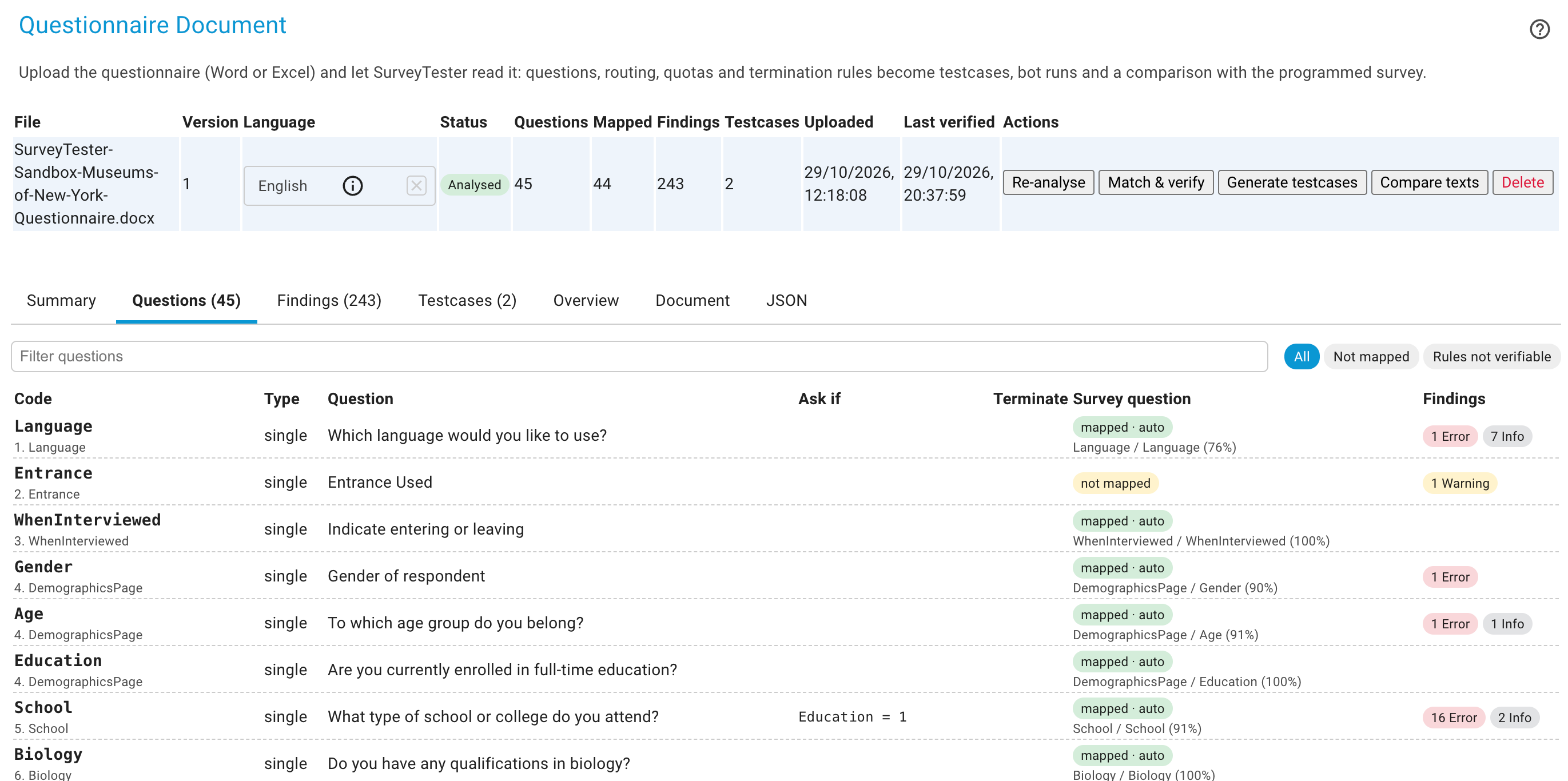
    Upload it as Word or Excel, one file per language. The AI extracts questions, codes, answer options, routing, termination rules, quota cells, piping and scripter notes, and flags problems in the document itself.

    Extracted questions, options, routing and termination rules from an uploaded questionnaire
  2. 2

    Check the live survey against it

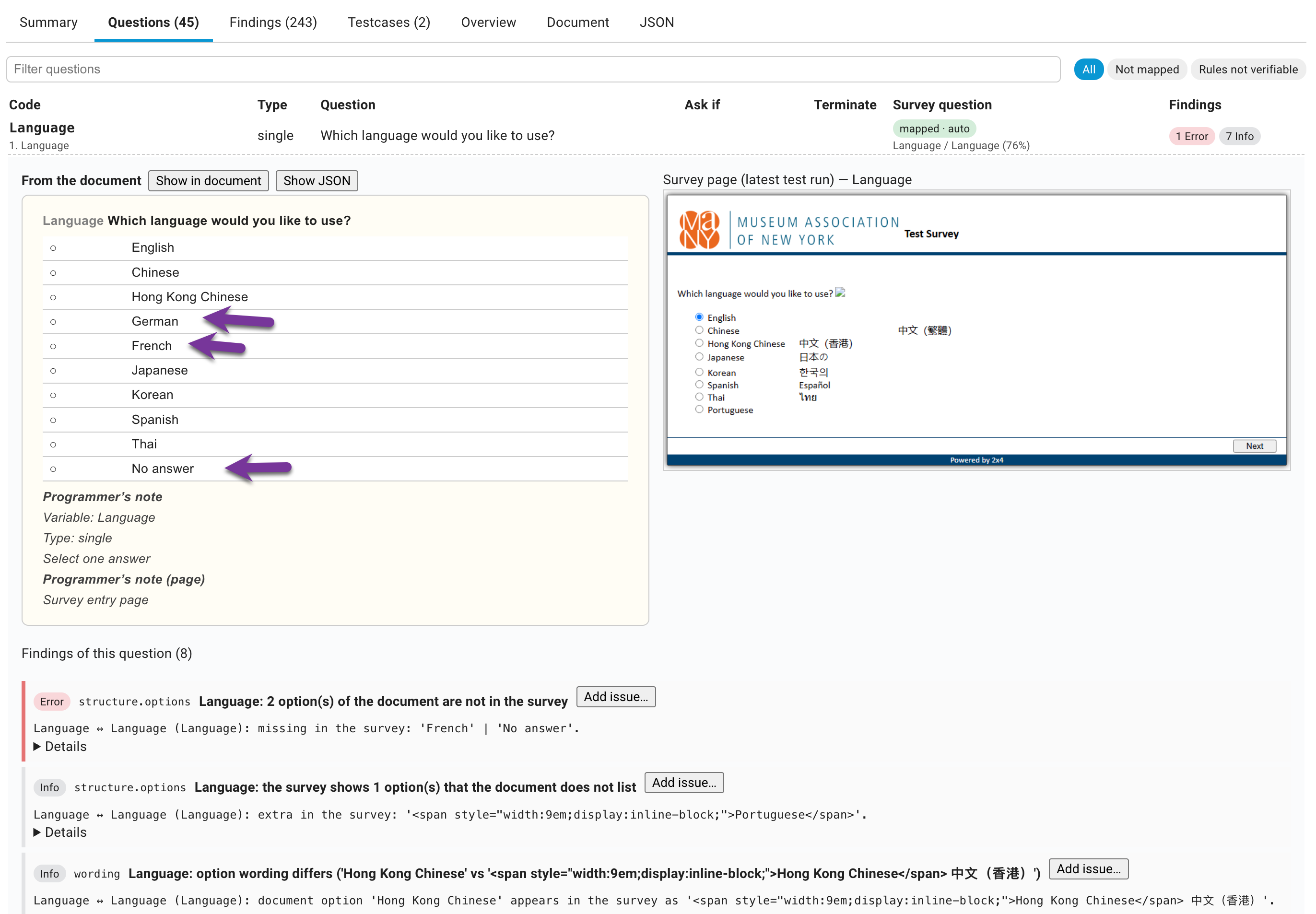
    SurveyTester matches each document question to the live survey and checks missing or extra options, exclusive flags, selection limits, randomization, routing, terminations, piping and wording. Findings are marked Info, Warning or Error.

    Questionnaire check results with findings marked Info, Warning and Error
  3. 3

    Turn findings into issues

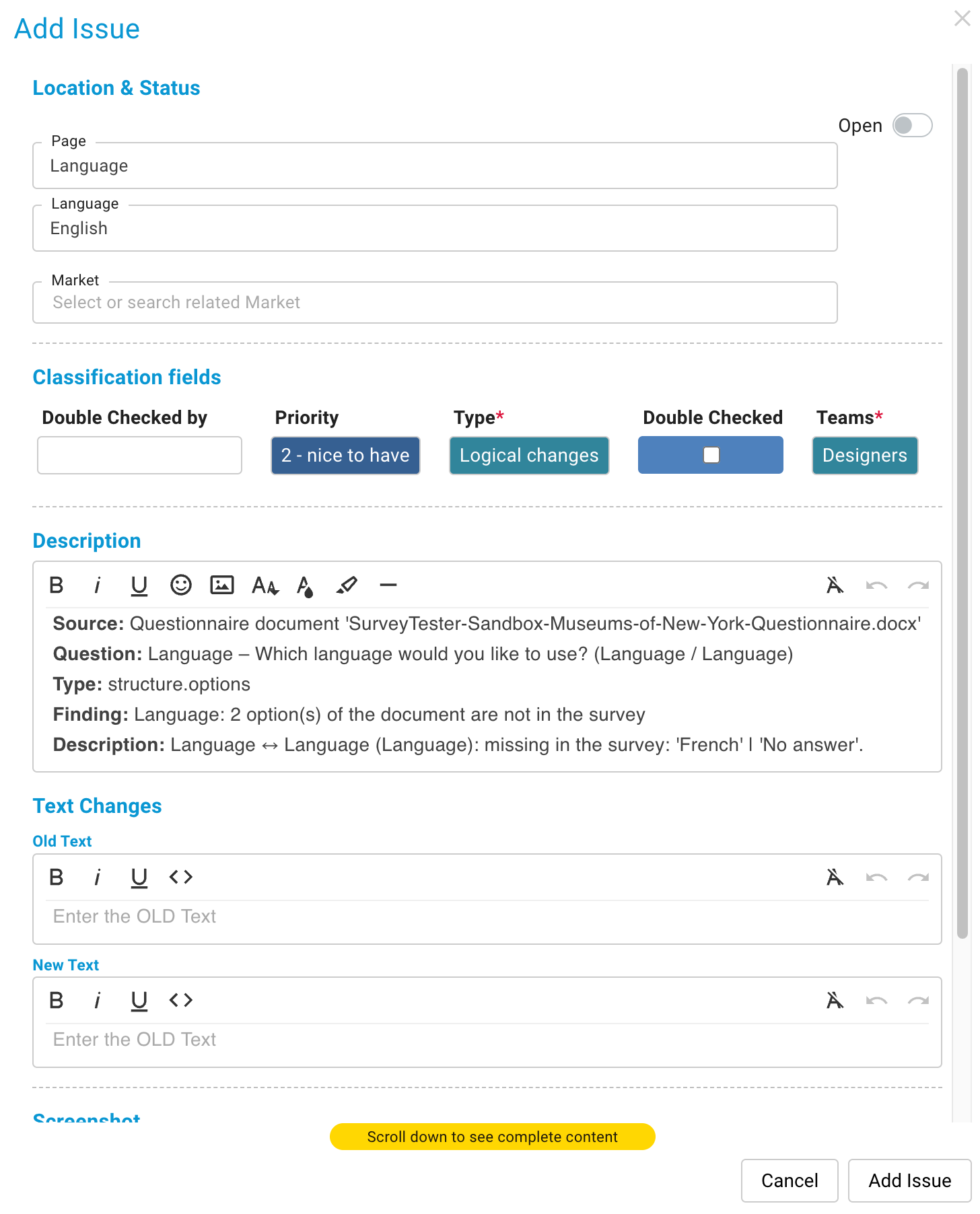
    Each finding shows a word-by-word comparison of questionnaire and survey. Decline it, or turn it into an issue for the scripter in one click.

    A finding with a word-by-word text comparison and the button to create an issue
Word or Excelquestionnaire, one file per language
3 levelsInfo, Warning and Error for every finding
1 clickfrom finding to issue

Questions teams ask

Which questionnaire formats work?

Word and Excel. Upload one file per language; the language is detected automatically.

What if a question cannot be matched automatically?

Matching runs automatically or with AI, and you can match questions by hand where needed.

Does it replace testing the survey?

No. It makes sure the survey matches the document. Test cases and bots then check that every route actually works.

Put the highlighter down.

Send us a questionnaire and the survey link, and we show you what the check finds.

Three ways to start. Pick the one that fits your week.

Some teams want to click around on their own. Some want a guide at their side. Some just want to know whether their survey is fine. All three are free, and none of them commits you to the others.

Zero effort

Free Survey Review

Email us a survey link and the questionnaire. We test it with SurveyTester and send you a written report of what we found. No account needed.

Get your survey reviewed →
Self-service

Free Trial

14 days with every premium feature. Start on a demo survey or paste your own link, invite your team and explore at your own pace.

Start the 14-day trial →