← All episodes of Max and the ClickysEpisode 6 · Fixed. Probably.

Fixed is a claim. Re‑checked is a fact.

The scripter says two hundred issues are fixed. Somebody still has to look again, page by page, language by language. SurveyTester re-checks every fixed issue for you and tells you what looks fixed and what is still broken. You just confirm.
Why re-testing eats your day

QA does not end when an issue is reported. Every fix needs a second look, and that second look is a large part of the testing work.

Re-testing is repetitive

Every fixed issue means opening the survey, reaching the right page with the right answers and comparing it with what was reported. Fifty issues in three languages are a day of clicking.

The page is hard to reach

Many issues sit deep in the survey, behind screeners, quotas and routing. Getting back to the exact page often means repeating the whole interview.

"Fixed" is a claim, not a fact

A status change says the fix was made, not that it works. Without a re-test, fixed issues reach the client unchecked.

How the automatic re-check works

  1. 1

    Mark fixed issues for a re-check

    The scripter sets the re-check status after the fix, one by one or in bulk. SurveyTester waits for the next capture of the issue's page, from any test run in that language, or starts a SurveyBot that replays the original interview up to that page.

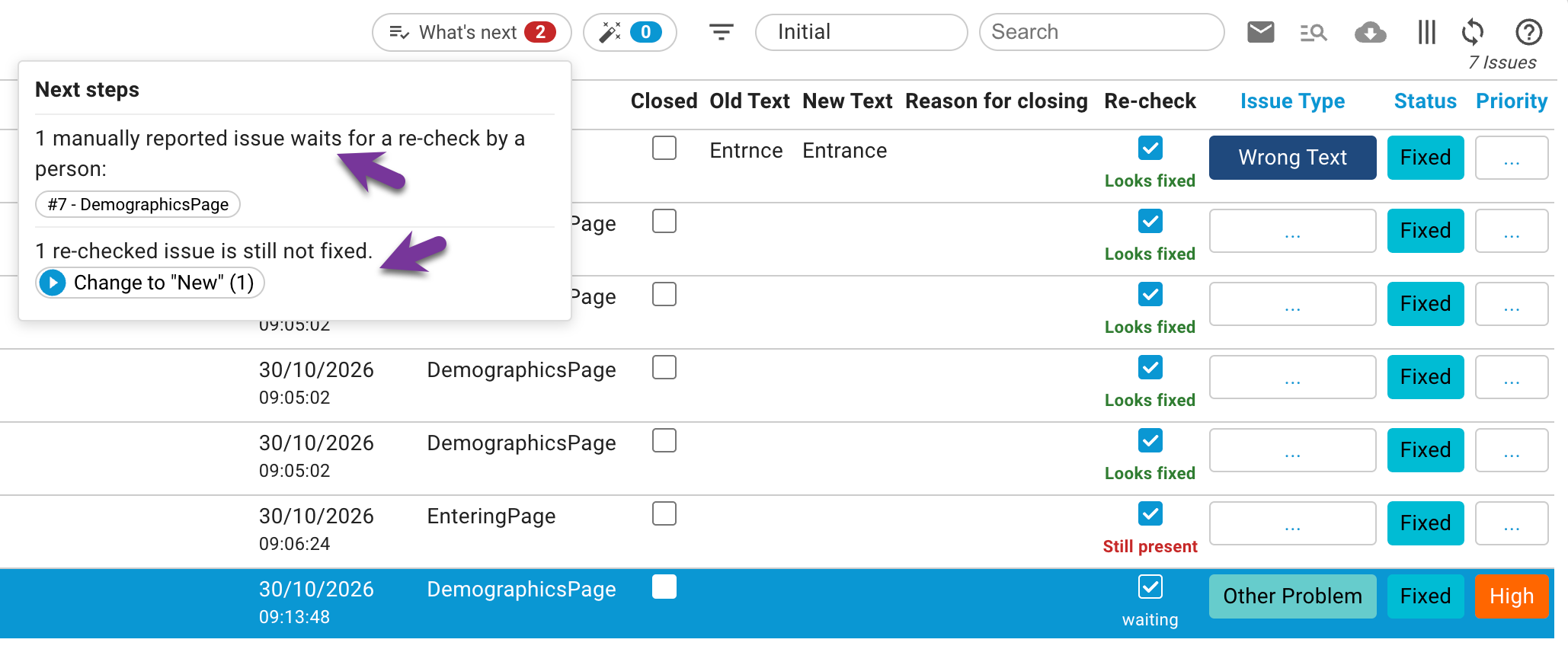
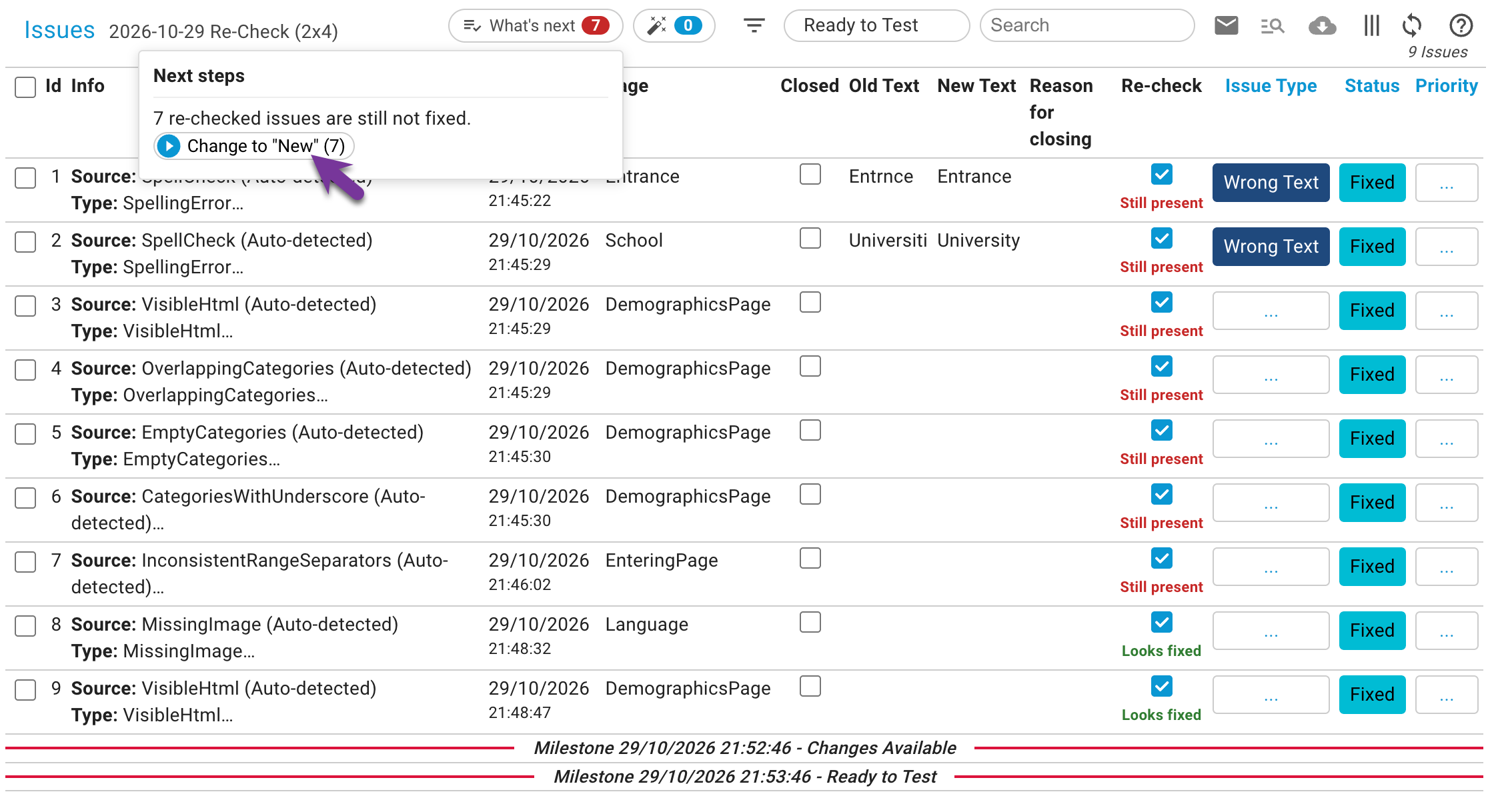
    Issue list with the Re-check column showing waiting, bot running, looks fixed and still present
  2. 2

    SurveyTester checks the issue again

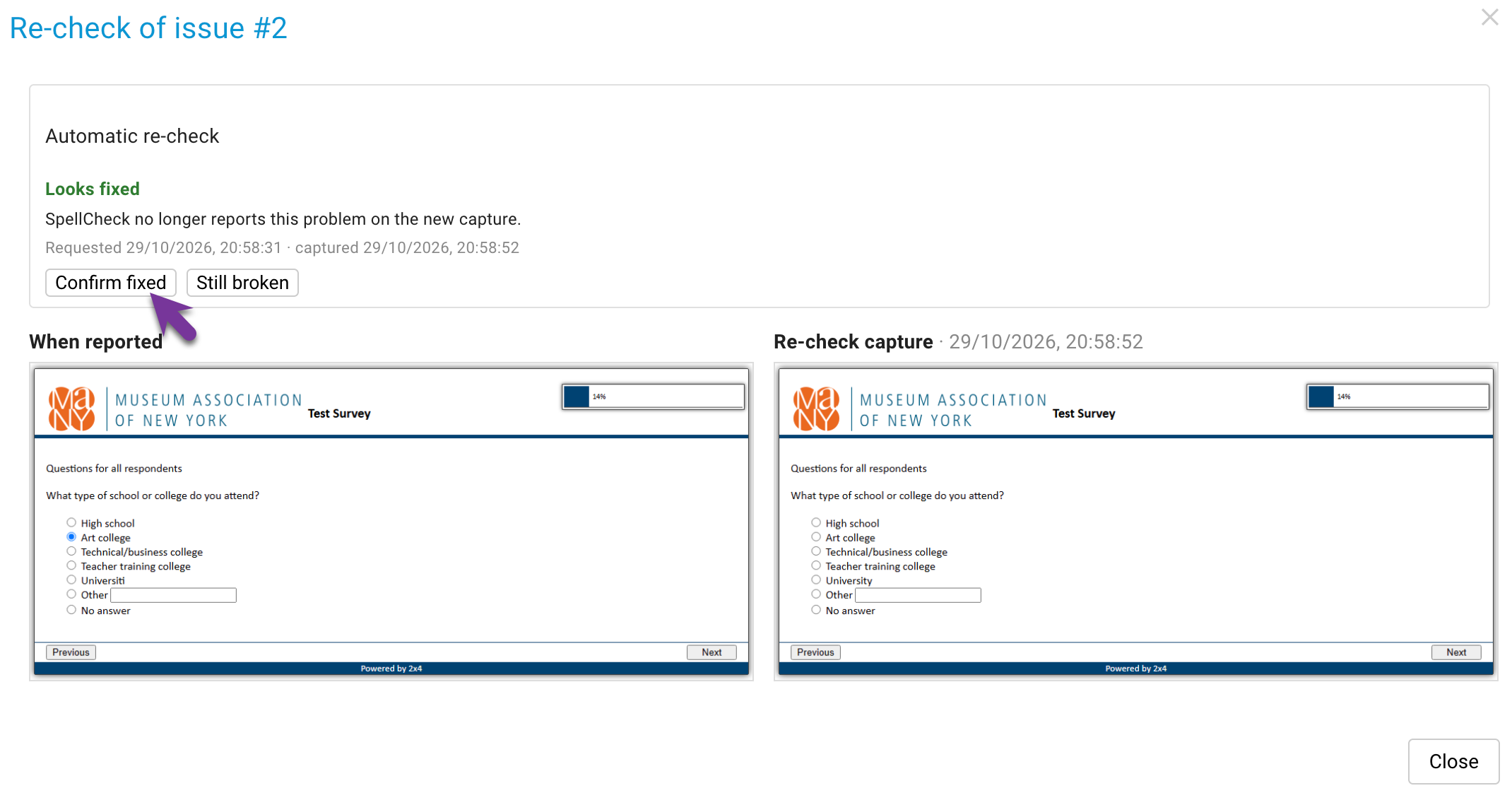
    The issue is checked the same way it was found, for example the same automatic check or the old and new text. The result is looks fixed, still present or please check manually, with the page before and after side by side.

    Re-check comparison with the screenshots When reported and Re-check capture and the buttons Confirm fixed and Still broken
  3. 3

    You confirm

    Confirm fixed closes the issue, still broken sends it back to the scripter. The "What's next" menu collects what is left: start the re-check bots for all waiting issues, or reopen everything that is still broken at once.

    The What's next menu with the button to run the SurveyBot re-check for all waiting issues
3verdicts: looks fixed, still present, check manually
1 capturere-checks every issue on that page
0issues closed without a person deciding

Questions teams ask

Which issues can be re-checked automatically?

Issues that came from an automatic check (spelling, wrong language, unresolved piping, visible HTML and more), text changes with an old and a new text, and project-wide findings such as rotation. Manually reported issues get a side-by-side comparison for a person to judge.

Does somebody have to test the page again?

No. Any new capture of the page in the same language counts. If nobody tests it, a SurveyBot replays the original interview up to the page, with the same answers, test case, language and market.

Can testers answer while they test?

Yes. In the browser extension, every issue under re-check asks "Is this solved?" right on the page.

Let the bots do the second look.

Show us a project with open fixes, and we show you how the re-check handles them.

Three ways to start. Pick the one that fits your week.

Some teams want to click around on their own. Some want a guide at their side. Some just want to know whether their survey is fine. All three are free, and none of them commits you to the others.

Zero effort

Free Survey Review

Email us a survey link and the questionnaire. We test it with SurveyTester and send you a written report of what we found. No account needed.

Get your survey reviewed →
Self-service

Free Trial

14 days with every premium feature. Start on a demo survey or paste your own link, invite your team and explore at your own pace.

Start the 14-day trial →