← All episodes of Max and the ClickysEpisode 7 · Same as Last Wave

Same as last wave? Now you know.

In a tracker, the new wave is mostly the old one: a few questions change, the rest must stay exactly the same, or the trend breaks. SurveyTester compares the new wave with the last one and marks every difference, the planned ones and the ones nobody planned.
Why the unchanged part is the risky part

The five percent that changed get all the attention. The ninety-five percent that should not have changed get none.

Nobody re-checks the rest

The change list says which questions are new. Nobody clicks through the hundred questions that were supposed to stay the same.

Small fixes break trends

A corrected typo, a reworded answer option or a moved condition in a trend question, and wave twelve is no longer comparable with wave eleven.

Two surveys, side by side, by hand

Comparing two versions by hand means opening both, page by page, route by route, and hoping you notice the difference.

How SurveyTester compares two waves

  1. 1

    Link the new wave to the last one

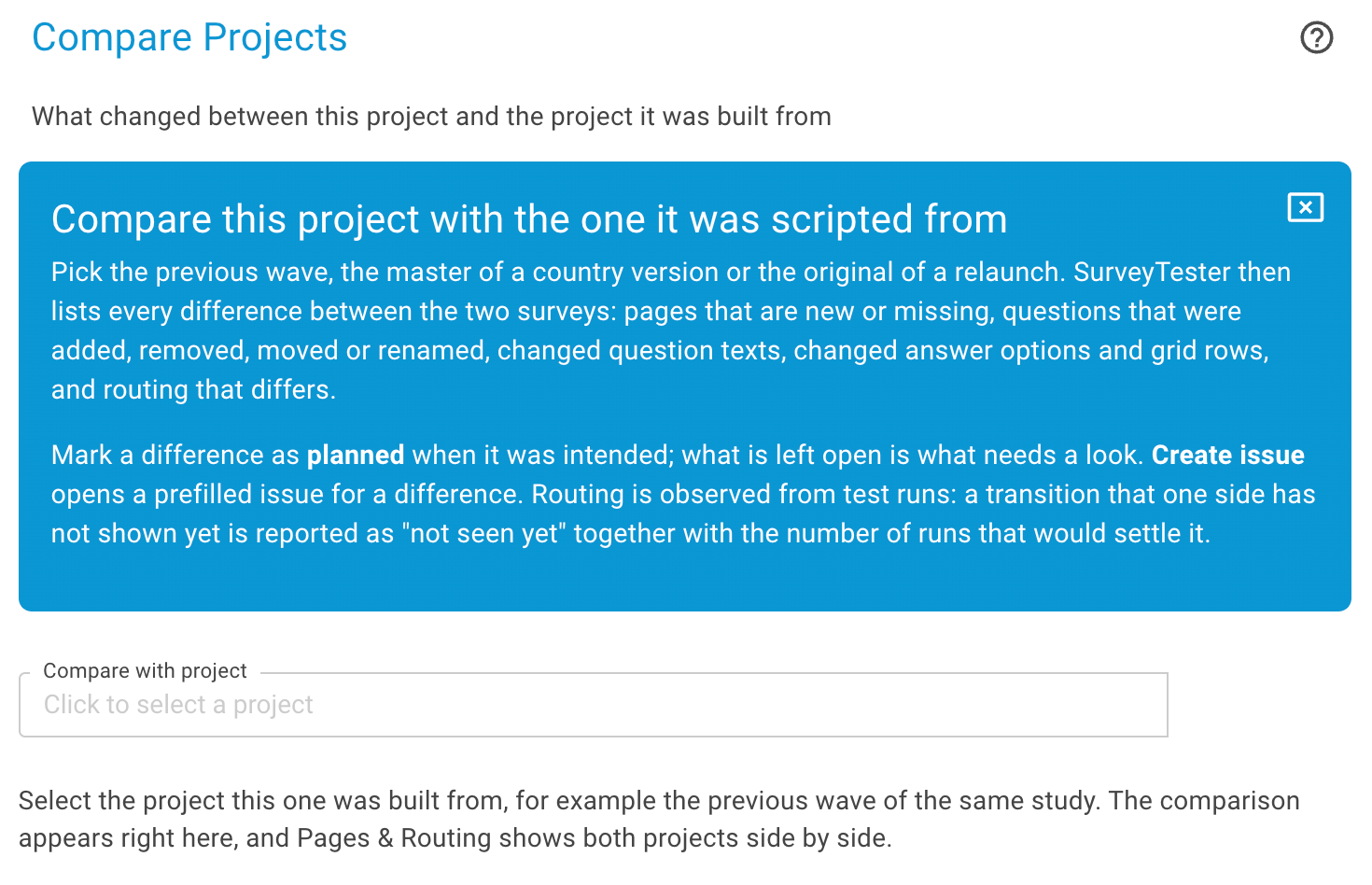
    With "Compare with project", the project of the new wave is linked to the project of the previous wave.

    The wave 12 project linked to the wave 11 project with Compare with project
  2. 2

    See both waves side by side

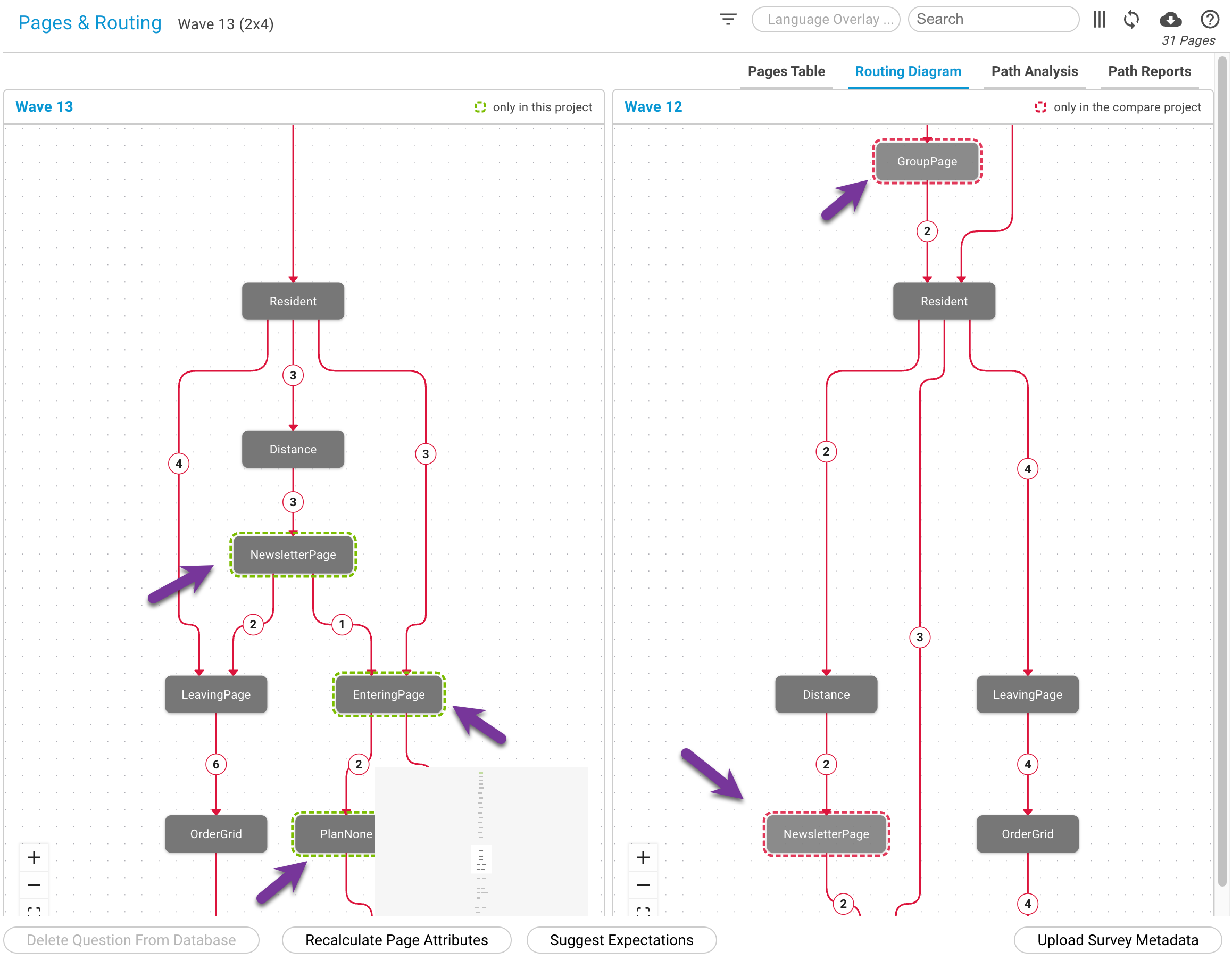
    Pages & Routing splits into two halves: the previous wave on one side, the new wave on the other, with the same pages and routes next to each other.

    Pages and Routing in split view with wave 11 and wave 12 next to each other
  3. 3

    Every difference is marked

    SurveyTester marks what changed: question texts, answer options, routing and conditions, new pages and missing pages. The planned changes are easy to confirm, and the unplanned ones stand out.

    Differences marked in the split view: question text, answer options, routing, new and missing pages
2 wavesside by side in Pages & Routing
Every differencemarked: texts, options, routing, pages
0questions to compare by hand

Questions teams ask

What does the comparison look at?

Question texts, answer options, routing and conditions, and pages that are new or missing in the new wave.

Does it replace testing the new questions?

No. It tells you exactly what changed, so you can test the new parts carefully and know that the rest is really the same.

Know what changed. Before your trend does.

Send us two waves of a tracker, and we show you every difference between them.

Three ways to start. Pick the one that fits your week.

Some teams want to click around on their own. Some want a guide at their side. Some just want to know whether their survey is fine. All three are free, and none of them commits you to the others.

Zero effort

Free Survey Review

Email us a survey link and the questionnaire. We test it with SurveyTester and send you a written report of what we found. No account needed.

Get your survey reviewed →
Self-service

Free Trial

14 days with every premium feature. Start on a demo survey or paste your own link, invite your team and explore at your own pace.

Start the 14-day trial →