
Multi-country surveys ask for the country and the language early on, and SurveyTester uses those questions to tell markets and languages apart in test runs, issues and filters. If your surveys always use the same question names for them, you no longer assign the questions in every project: name them once for the whole project type.
Where to set it
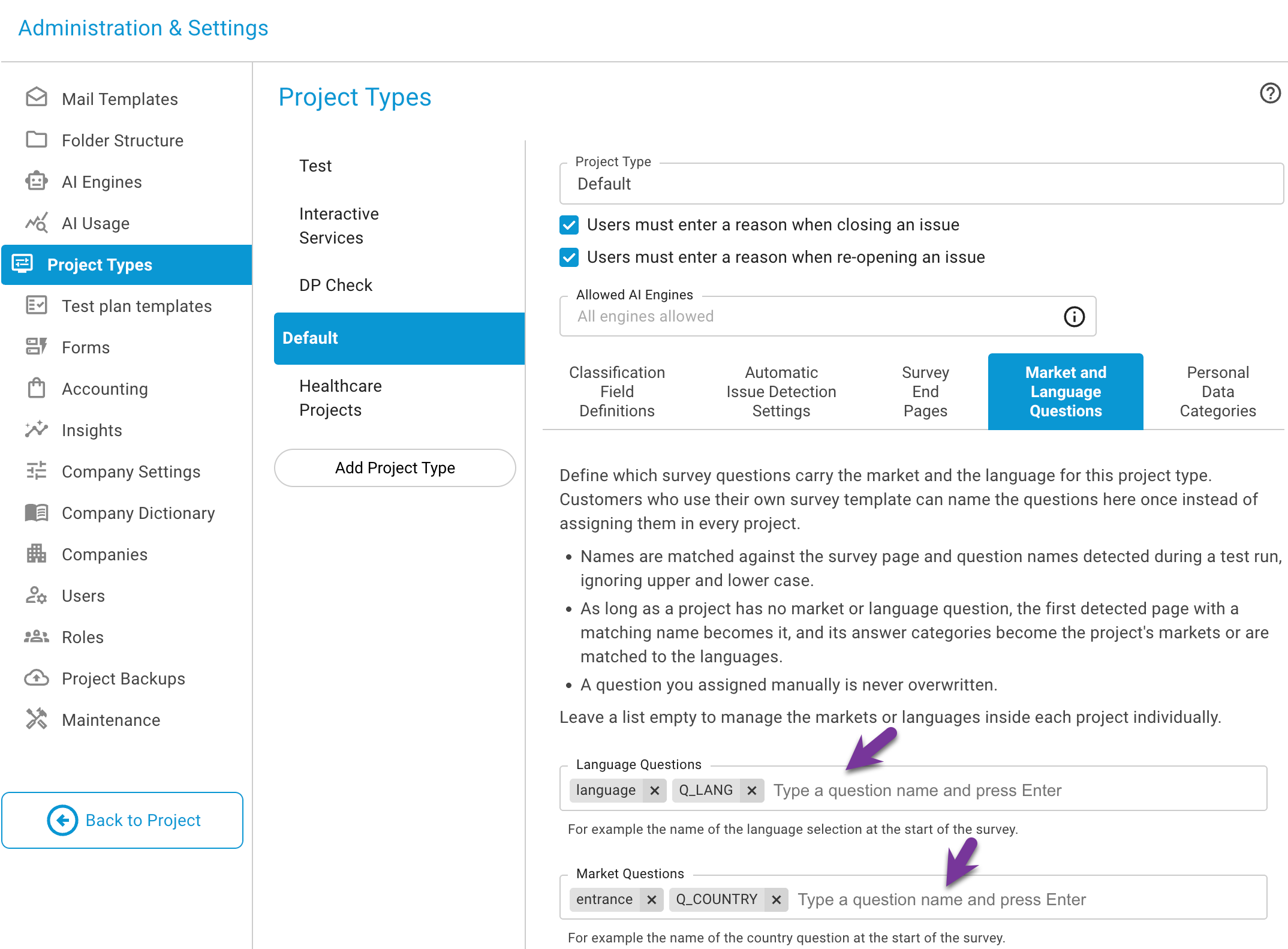
Open Administration → Project Types and the new area Market and Language Questions. For each project type you enter one or more question names for the market and one or more for the language. Upper and lower case do not matter.
What happens in a project
As long as a project of that type has no market or language question of its own, the first page detected during a test run whose name matches one of the entries becomes the project's market or language question:
- its answer categories become the project's markets;
- for the language question they are matched to the project's languages by their labels.
A question you assigned yourself in the project is never overwritten. Leave a list empty to go on managing markets and languages in each project individually, as described in Adding multiple markets and Adding multiple languages.
Step by step
- In Project Types, open the type your multi-country projects use and enter the question names, for
example
countryandlanguage. - Create a project of that type and run a first test run through the screener.
- Open the project details: the market question and its markets are filled in; the languages that match the answer labels are assigned.
- Correct by hand where needed - your choice stays.
Key takeaway
One setting per project type replaces the same assignment in every project: markets and languages fill themselves from the first test run.