
A closed project is frozen. Everything stays visible - the test runs, the screenshots, the issues, the reports - but nobody can change anything and nobody can start a new test. That is what you want once a survey has been signed off: the state that was approved should stay exactly as it was approved.
Why a project needs a closed state
A signed-off survey is a reference. Weeks later somebody asks why a question was accepted, an auditor wants to see the screenshots, or the next wave of the study starts from the same questionnaire. All of that only works if nothing moved after the sign-off.
Without a real lock this is hard to guarantee:
- A tester who still has the browser extension open adds one more issue or restarts a run "just to check".
- A SurveyBot job that was queued before the sign-off starts the next morning and adds fifty new test runs, with new findings, to a project everybody considers done.
- Someone edits a test case or a translation mapping and the numbers in the sign-off report no longer match the project.
SurveyTester therefore enforces the closed state on the server, not only in the user interface. The browser extension, SurveyBots, test links and API calls are all refused the same way the buttons in the app are disabled.
What a closed project means
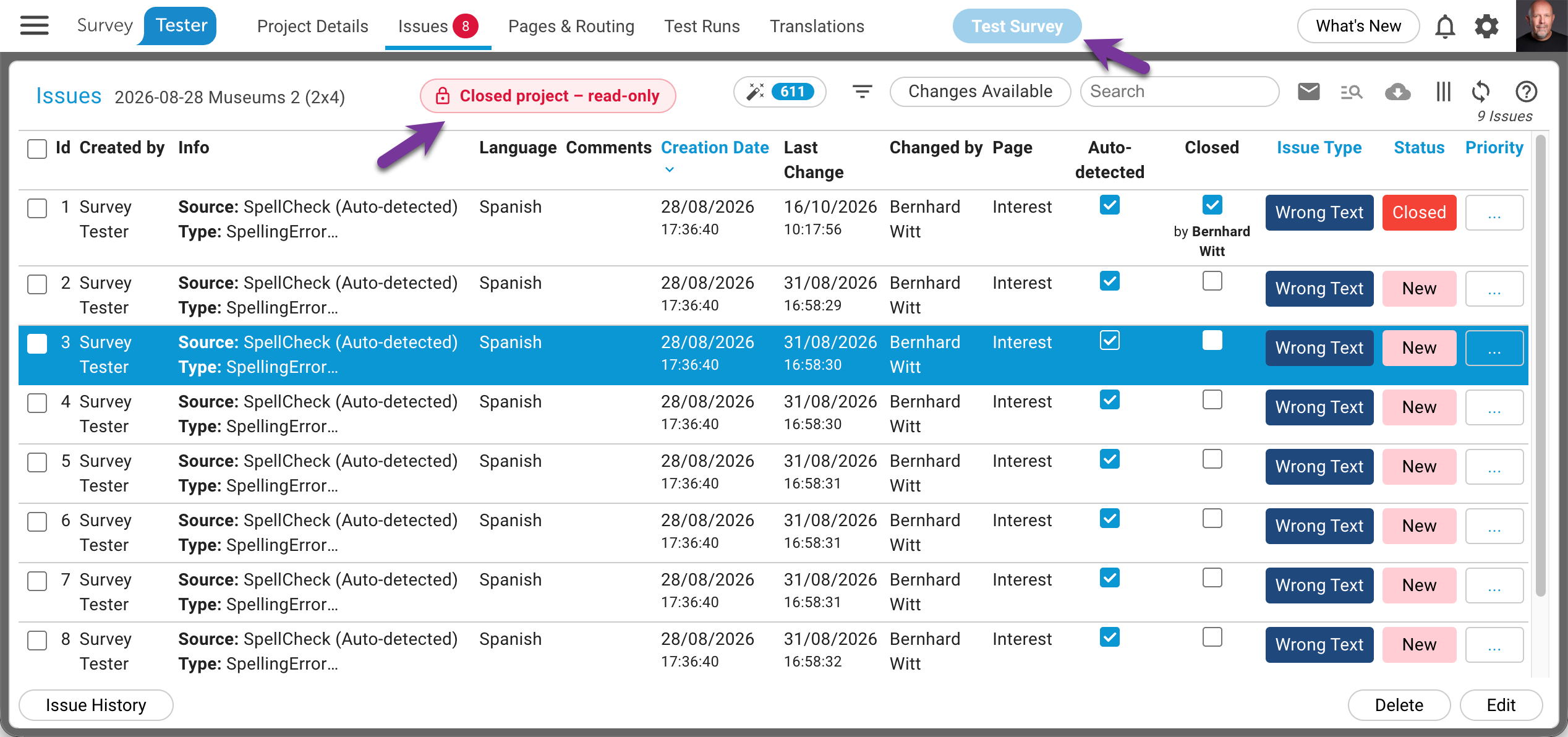
Read-only, everywhere. Every screen of the project shows the badge Closed project – read-only next to the title. Edit controls disappear or are disabled: adding or changing issues and comments, test cases, pages and expectations, languages, markets, milestones, queries, planner items, sample records, documents, translations and survey end pages. Uploads are refused as well.
No new tests. The Test survey button in the top menu is disabled, so neither a manual test nor a repeat of an existing run can be started. SurveyBot jobs cannot be created, and test links for external testers no longer start a run.
Running SurveyBots are stopped. Queued SurveyBot jobs of the project are cancelled the moment it is closed. A bot that is in the middle of an interview stops at its next step; the steps it already finished are kept, and the job is marked as cancelled in the SurveyBot jobs list.
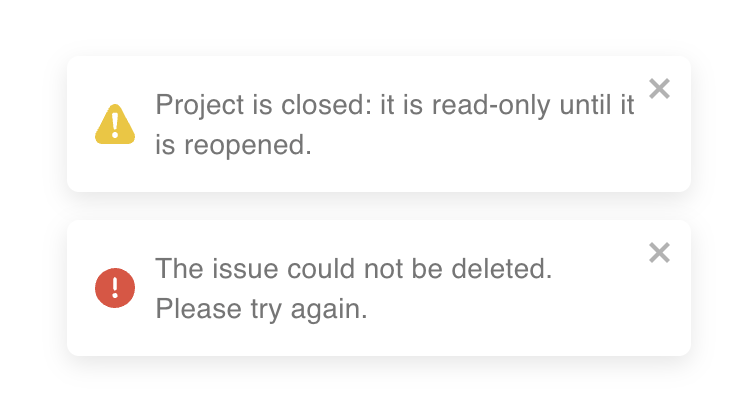
Anything that slips through gets a clear answer. If a change still reaches the server - from an extension tab that was open before the project was closed, for example - it is refused with the message Project is closed: it is read-only until it is reopened, which the app shows as a notification.
What still works
Closing is about the content of the project, not about who may look at it or how. These things stay available on a closed project:
- Viewing and exporting. All pages, reports, the routing diagram, the path analysis, Excel and Word exports, screenshot exports and the questionnaire document.
- Your own view settings. Result filters, table columns, translation columns, favourites and subscriptions are personal settings, not project data.
- Project access. Users and roles can still be added to or removed from the project, so a colleague can be given read access to a closed project.
- Moving the project into another folder, for example an archive folder.
- Lifecycle actions. Backups, restore, deleting the project, and a new sign-off.
- Reopening the project.
Closing a project
You need the permission Change Project Status. There are two ways to close a project.
On the Lifecycle page
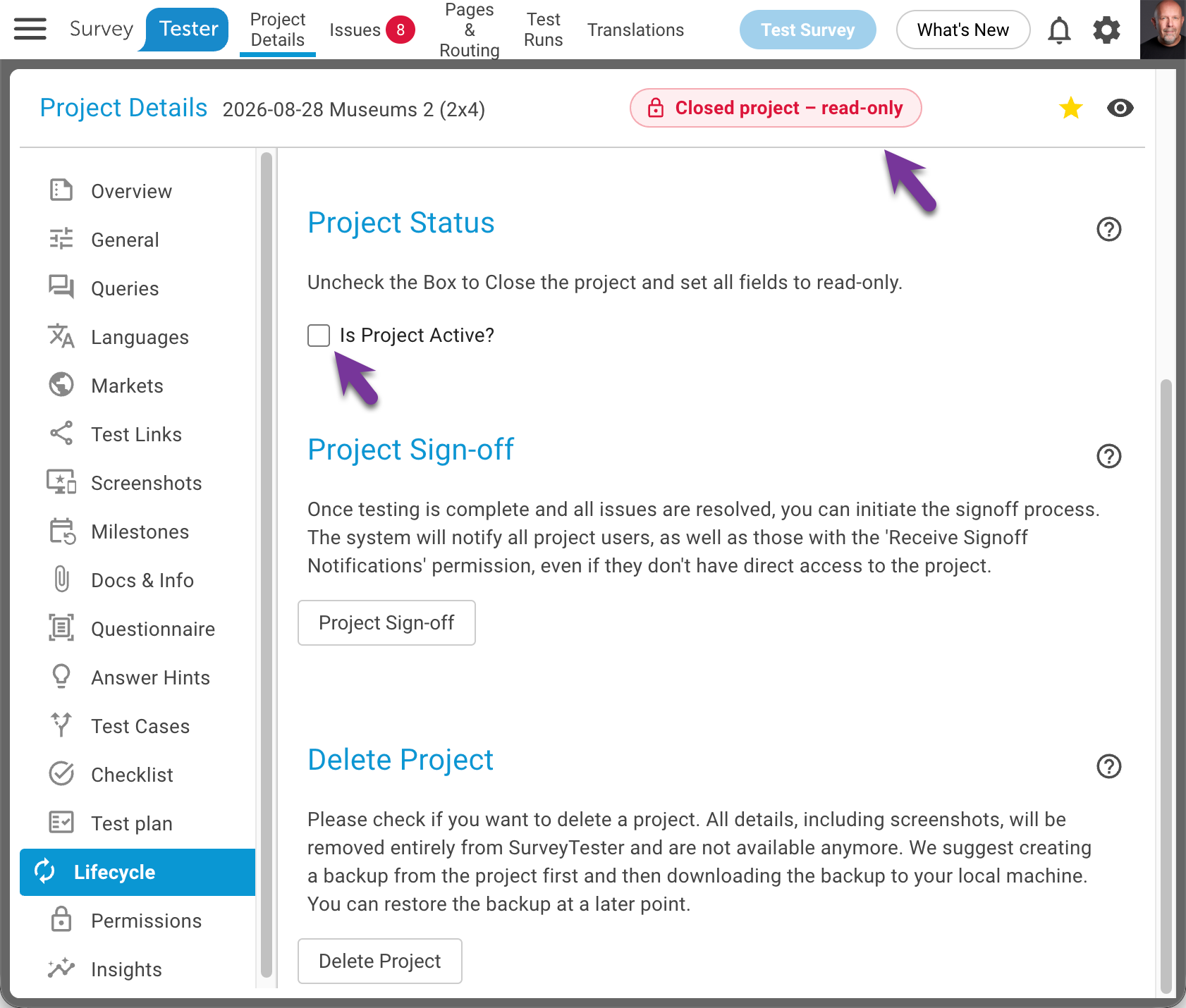
- Open Project Details › Lifecycle.
- In the section Project Status, untick Is Project Active?.
- The badge Closed project – read-only appears in the header right away, the edit controls disappear and queued SurveyBot jobs are cancelled.
As part of the sign-off
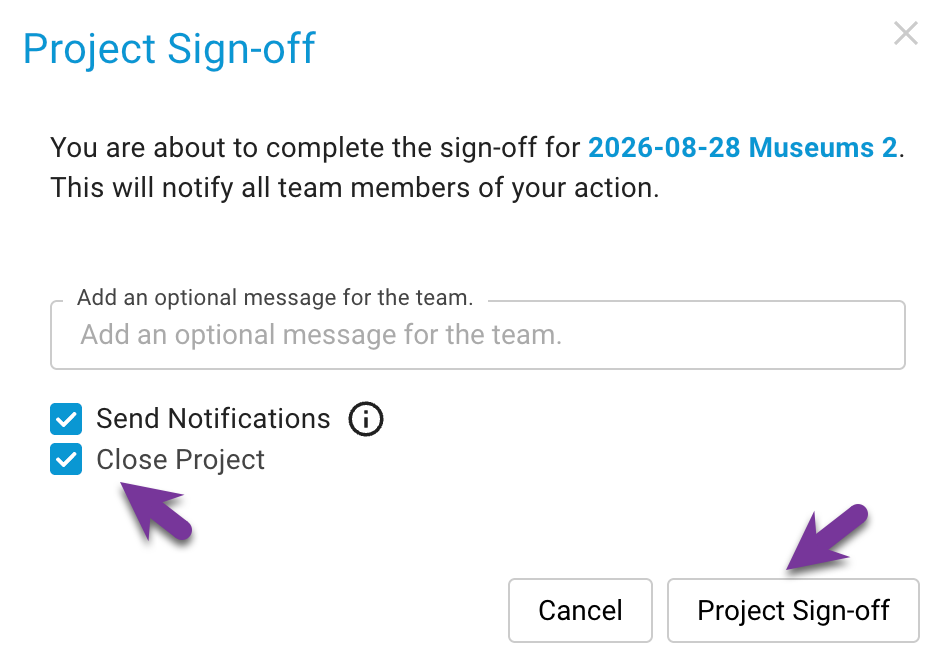
The sign-off dialog on the same page offers the checkbox Close Project. Tick it to sign off and close in one step: the sign-off is recorded, the team is notified, and the project is frozen in the state that was signed off.
Tip
Close the project right after the sign-off, then create a backup on the same page. The backup captures the frozen state, and the closed project can later be deleted to free up space without losing anything. See Backing up and restoring projects.
Reopening a project
A closed project can be reopened at any time by a user with the permission Change Project Status: tick Is Project Active? on the Lifecycle page. Everything is editable again and tests can be started. Cancelled SurveyBot jobs are not restarted automatically; create them again if you still need them.
Questions and answers
Can testers still see a closed project? Yes. Closing does not change who has access; it only removes the ability to change anything. Use the project's users and roles to control visibility.
What happens to a manual test that is running when the project is closed? It cannot continue. The steps already recorded stay in the test run; the next page the tester opens is refused.
Does closing delete anything? No. Closing and deleting are separate actions on the Lifecycle page. A closed project keeps all of its data until somebody deletes it.
Can I still add a user who needs to review the signed-off project? Yes, project access management stays available on closed projects.