
Auto‑Importing Languages Using Test Survey URLs
For projects containing multiple languages you no longer need to manually add each parameter one by one. The system can now automatically identify language parameters directly from your test survey URLs and create Languages.
Importing Multiple Languages
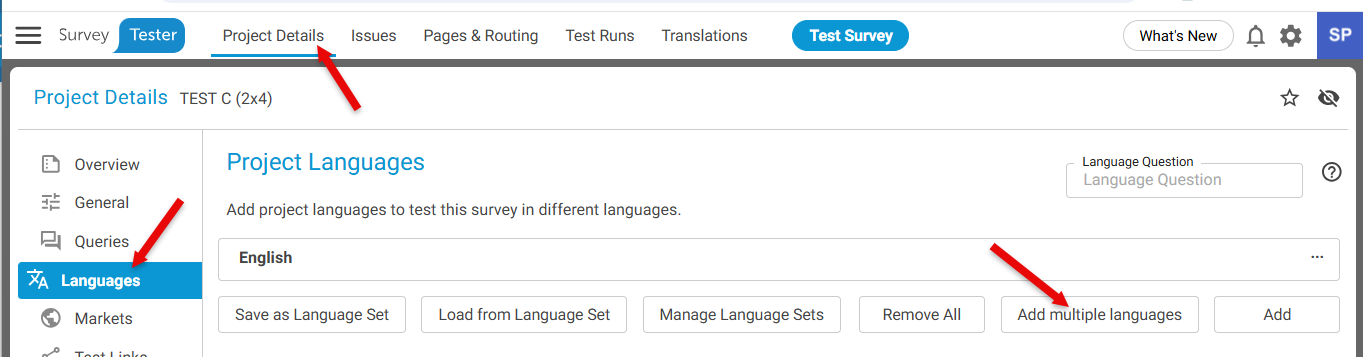
Step 1: Navigate to the Languages Section
- Go to Project Details
- Select Languages from the left-hand panel
- Click on button **Add Multiple Languages
 **
**
Step 2: Provide Test Survey URLs
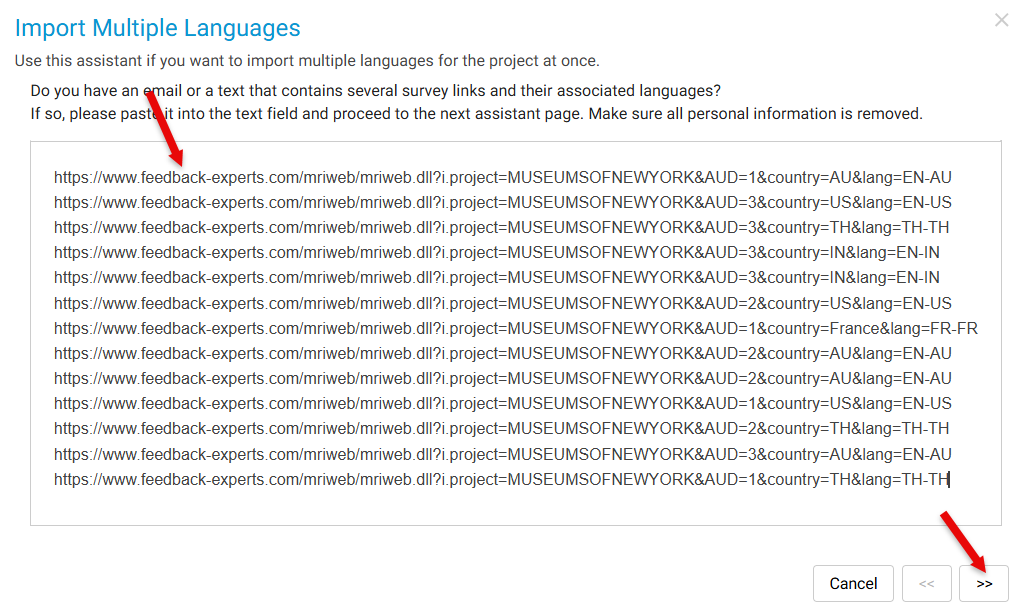
- Copy all your test survey URLs
- Paste them into the Import Multiple Languages window
- Click **Next
 **
**
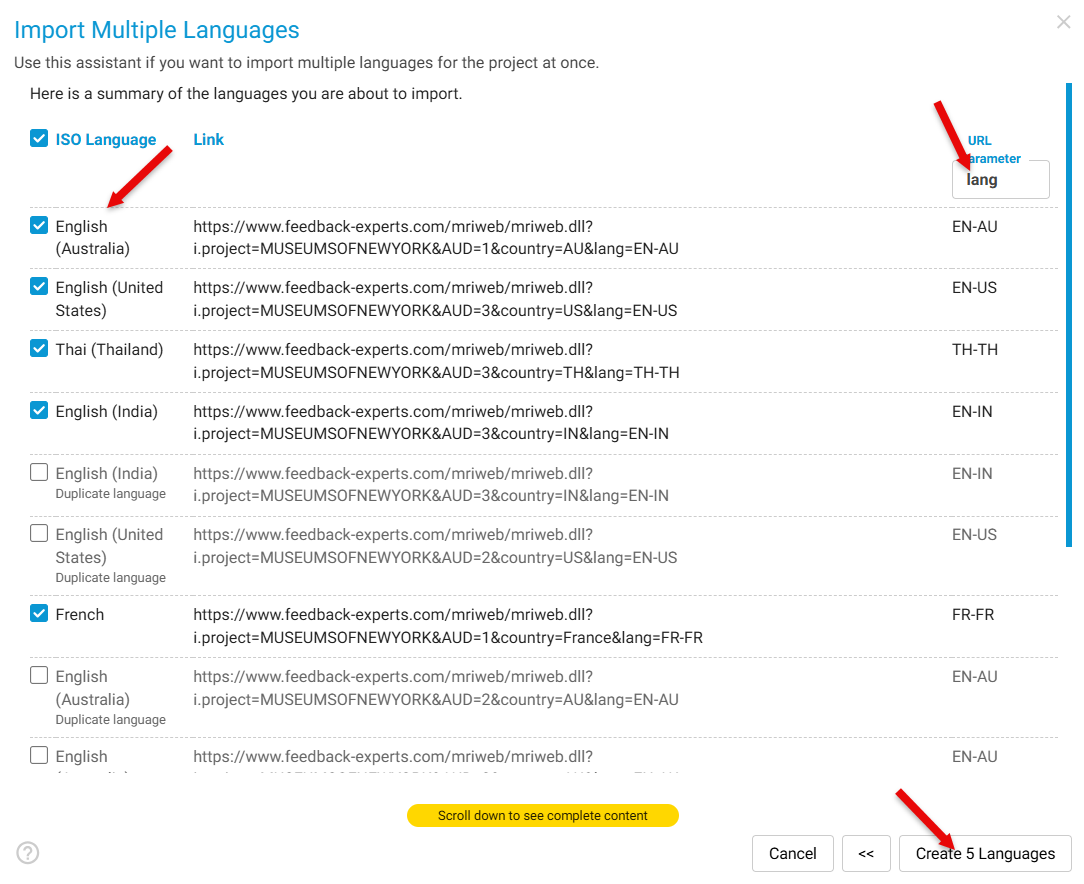
Step 3: System Processing: The system will -
- Scan all provided URLs
- Identify unique ISO language values found in URL parameters
- Ignore duplicates and mark them as **“Duplicate language”
 **
**
Example parameter found: lang=EN-AU
Step 4: Create the Languages: Click Create x Languages and the system will automatically generate languages using:
- The parameter name
- The language value
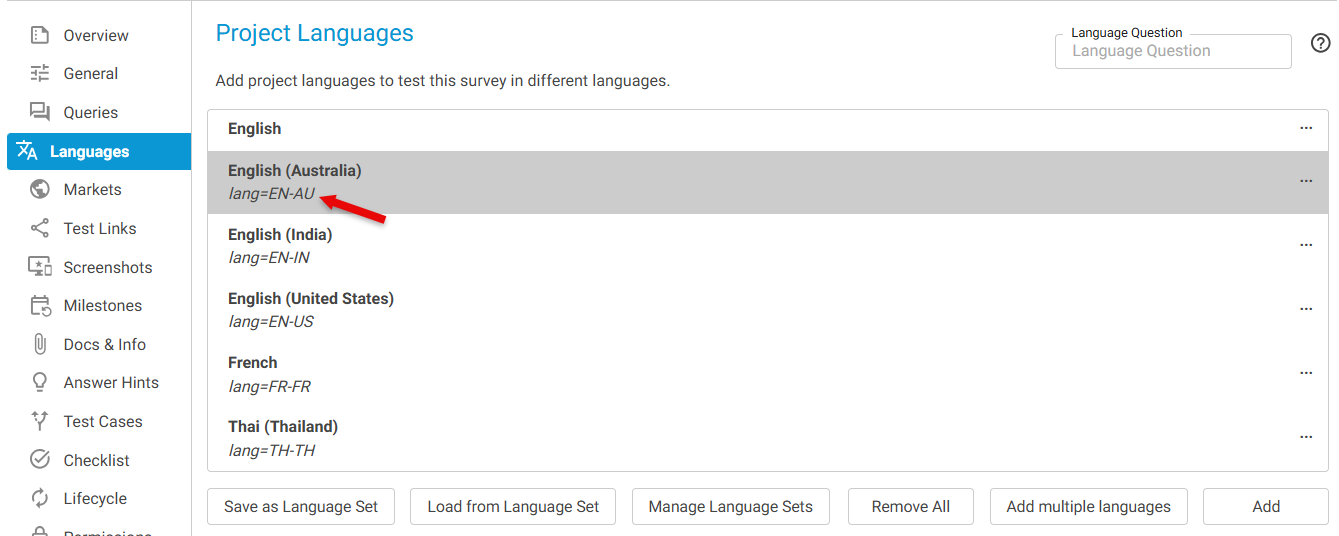 Example created: EN-AU