
When an issue disappears from the open list, the next question is usually "why?". Was it fixed in the survey, was it not a bug at all, or was it accepted on purpose for this wave? Some teams and clients need that answer on record for every issue. SurveyTester can require a reason whenever an issue is closed, re-opened, or both. The reason is stored with the change in the issue history and is visible in the issue list and in the issue itself.
Why this is hard without SurveyTester
- The status says that an issue was closed, not why. A closed issue that was fixed looks the same as one that was dismissed. Weeks later, at sign-off or in a client review, nobody remembers which was which.
- Comments are optional. Asking testers to "please add a comment when you close something" works for a week. A rule the tool enforces works for every project.
- Issues are closed in many places. In SurveyTester an issue closes through the Closed checkbox, the switch in the issue dialog, a classification value that closes the issue, or a bulk edit. A reason that is only asked for in one of these places leaves gaps.
- Re-opening matters too. An issue that comes back after it was closed says something about the fix. The reason for re-opening is often more interesting than the reason for closing.
How it works
The requirement belongs to the project type (the classification field set a project uses). Two independent settings decide whether a reason is needed when an issue is closed and when it is re-opened.
Once a setting is on, every change of the issue status in the project asks for the reason first:
- the Closed checkbox in the issue list,
- the Closed switch in the issue dialog,
- a classification value marked Close Issue (for example Status = Fixed), in the list and in the issue dialog. Choosing a value that re-opens the issue asks for the re-open reason.
- bulk edit of several issues,
- adding a new issue that would start out closed.
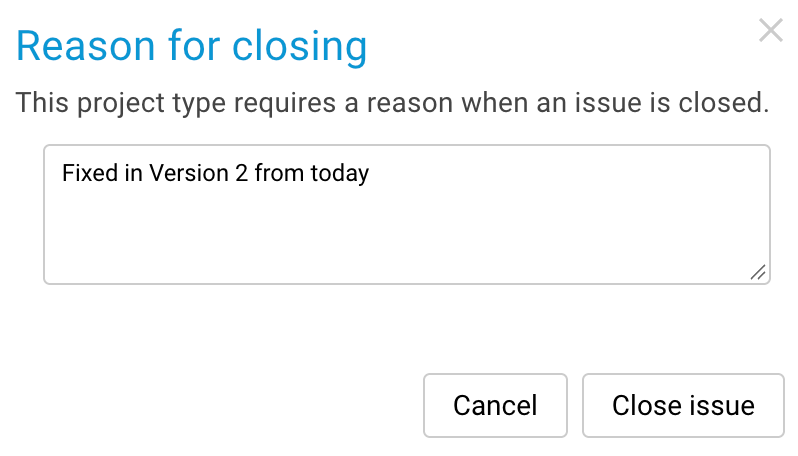
The dialog cannot be confirmed with an empty text. Cancel leaves everything as it was: the issue keeps its status and the classification value is not saved. Because the check also runs on the server, a status change without a reason is never stored, even if it comes from an outdated browser tab.
Step by step
1. Turn on the requirement for a project type
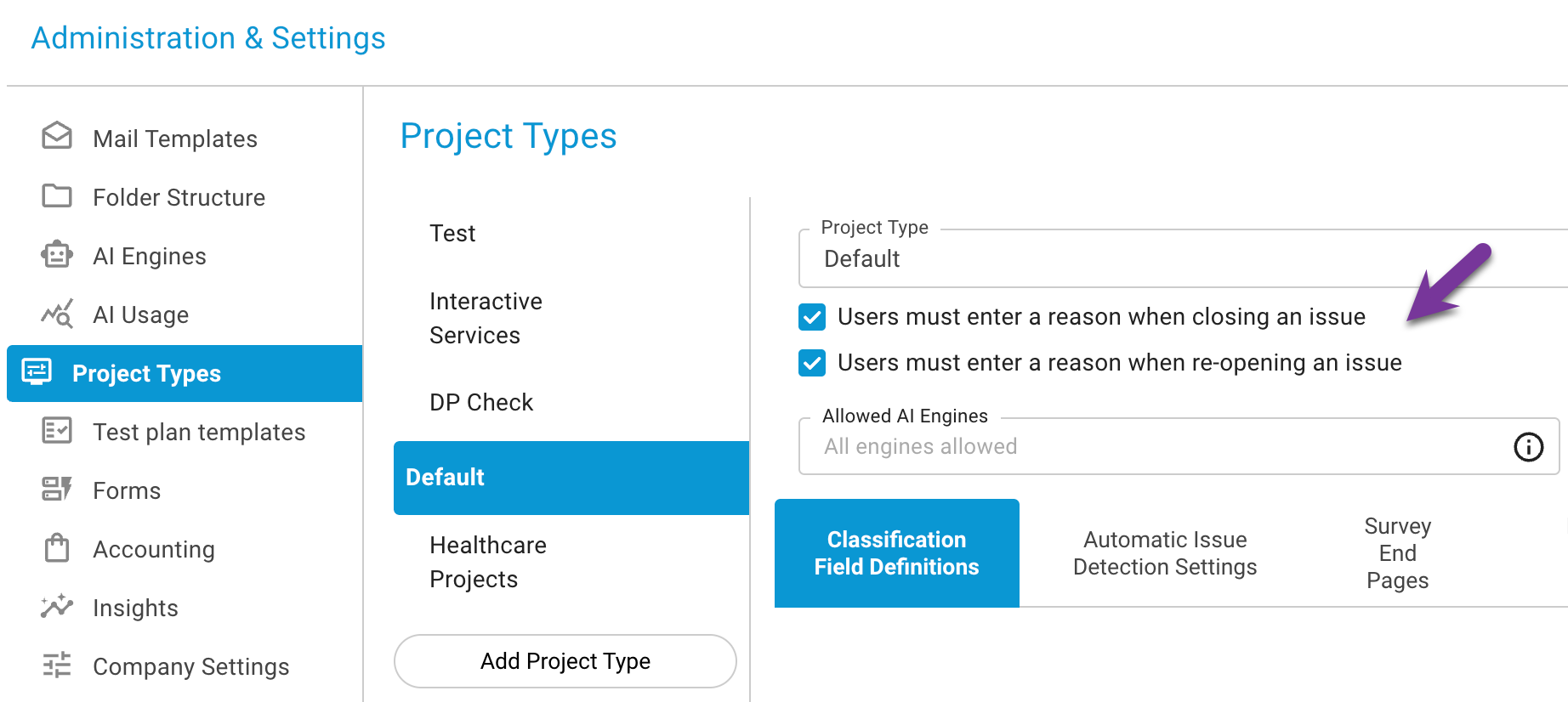
- Open Administration → Project Types and select the project type.
- Below the project type name, tick Users must enter a reason when closing an issue.
- If re-opening needs a reason as well, also tick Users must enter a reason when re-opening an issue.
The setting applies immediately to all projects that use this project type. Existing issues are not changed. When you duplicate a project type, the settings are copied with it.
2. Close an issue
Tick Closed in the issue list, switch the issue to closed in the issue dialog, or choose a classification value that closes the issue. The reason dialog opens. Enter the reason and click Close issue.
3. Close several issues at once
Select the issues in the list and use Bulk Edit. If the change closes or re-opens issues, SurveyTester asks once and stores the same reason for every issue whose status actually changes. Issues that were already closed are not touched.
4. Read the reasons
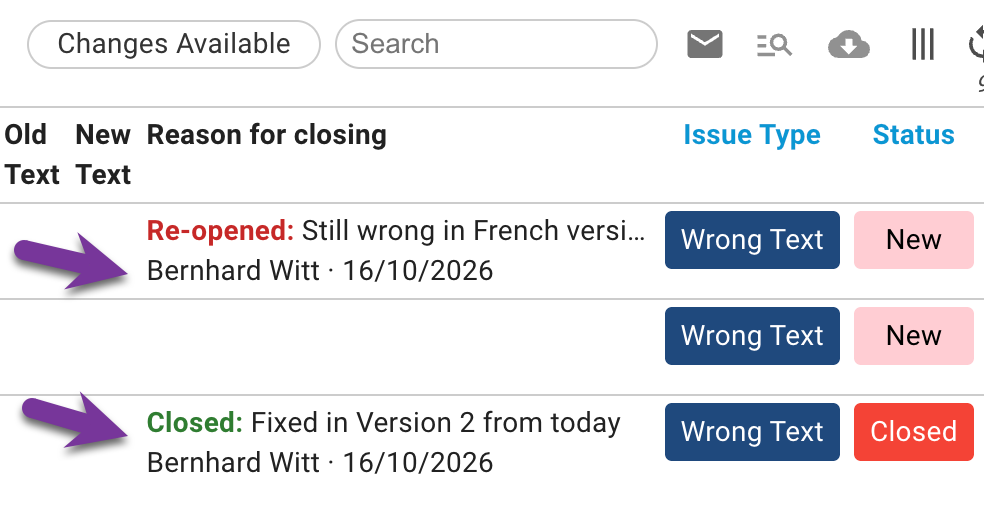
- Issue list: add the column Reason for closing with the column selector. It shows the latest reason, marked Closed or Re-opened, with the user and the date. Hover over a long reason to read all of it.
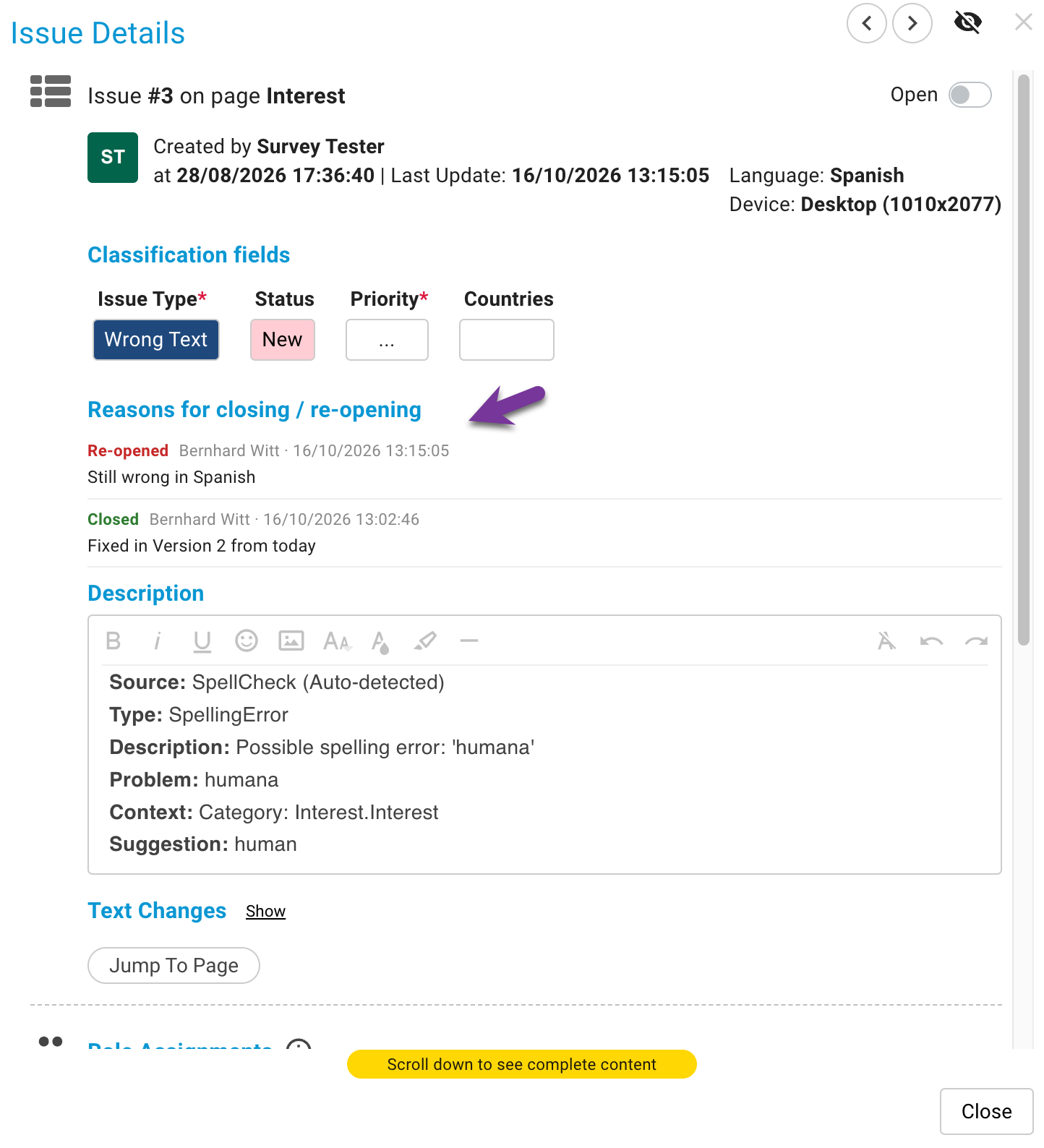
- Issue dialog: the Reason for closing section lists every close and re-open of the issue that has a reason, newest first.
- Issue history: each status change shows its reason below the old and new value.
Good to know
- Automatic changes need no reason. When SurveyTester changes an issue status on its own (issues created from Auto-Detect findings, imports, or an administrator changing which classification values close an issue), no dialog appears. The history shows a note such as Changed automatically (AutoDetect) instead.
- The status stays in sync with the classification. If a project type has classification values that close an issue, the status is still derived from those values. The reason is stored with exactly that change, so status, classification and reason always match.
- Issues reported from the browser extension are not blocked. A reason is stored when one is given.
- Only status changes made after the setting was turned on carry a reason. Older closes show no reason.
Related: Classification Fields