
How to Change Your Password
You can easily update your password from the My Account section of your SurveyTester dashboard. Just follow the steps below:
Step 1: Open My Account
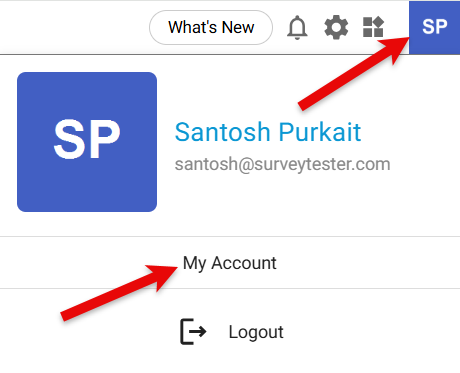
- Go to the top‑right corner of the screen.
- Click on your profile image or initials.
- Select My Account from the dropdown menu.
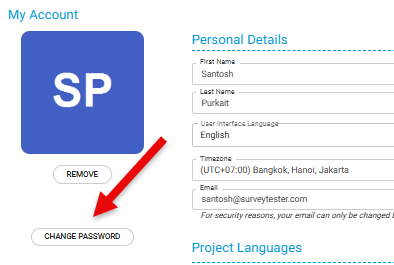
A new My Account window will appear and click the Change Password button.
Step 2: Update Your Password
-
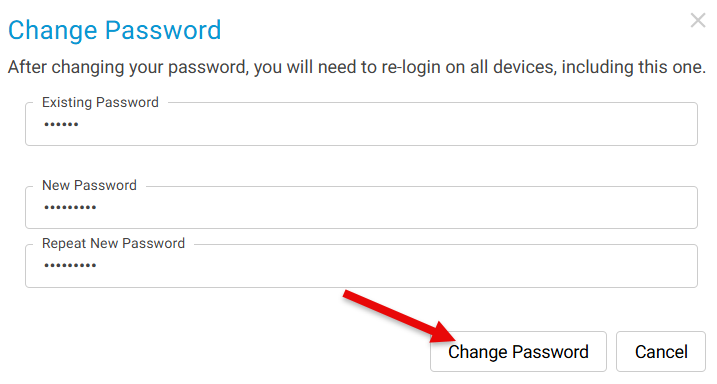
Enter your current password.
-
Type your new password.
-
Re‑enter the new password to confirm it.
-
Click Change Password to save the update.
-
Your password will now be successfully changed. You will be logged out and redirected to login page.
