
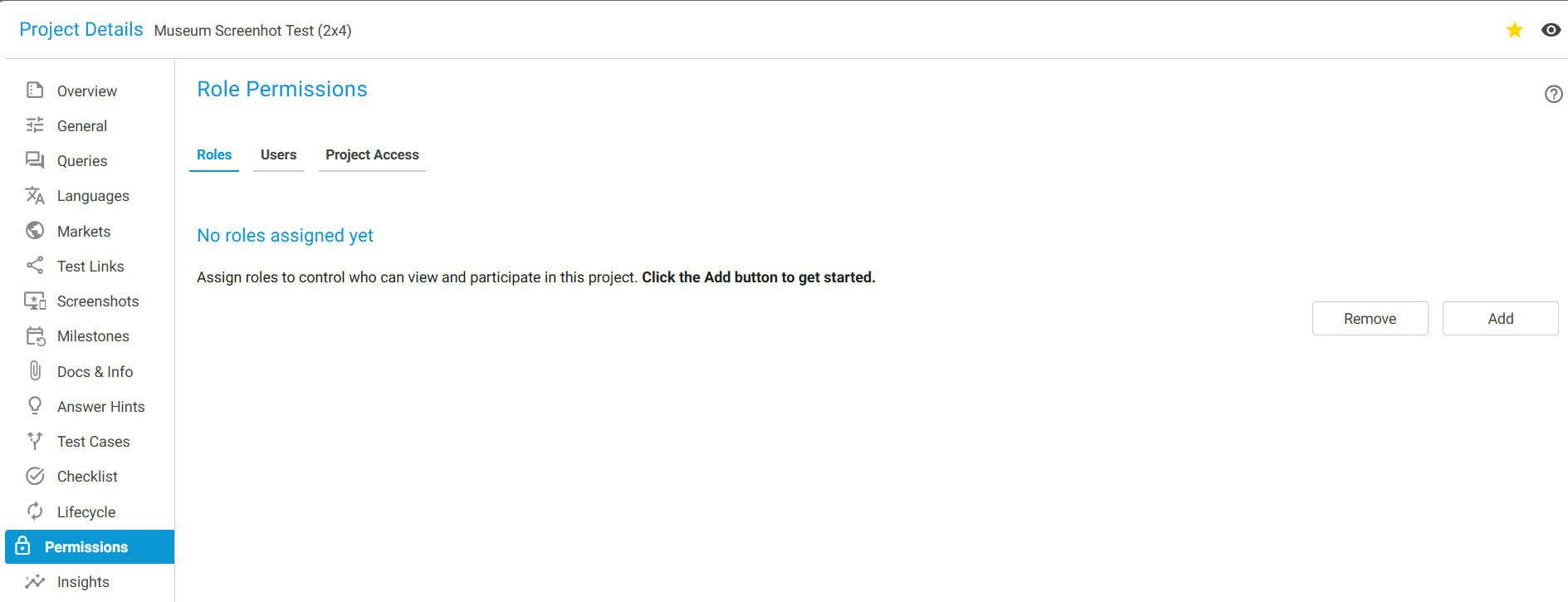
When no ROLES / USERS assigned to a project you will see the below -
Add a user to a Project?
User can be added based on ROLE or an individual USER.
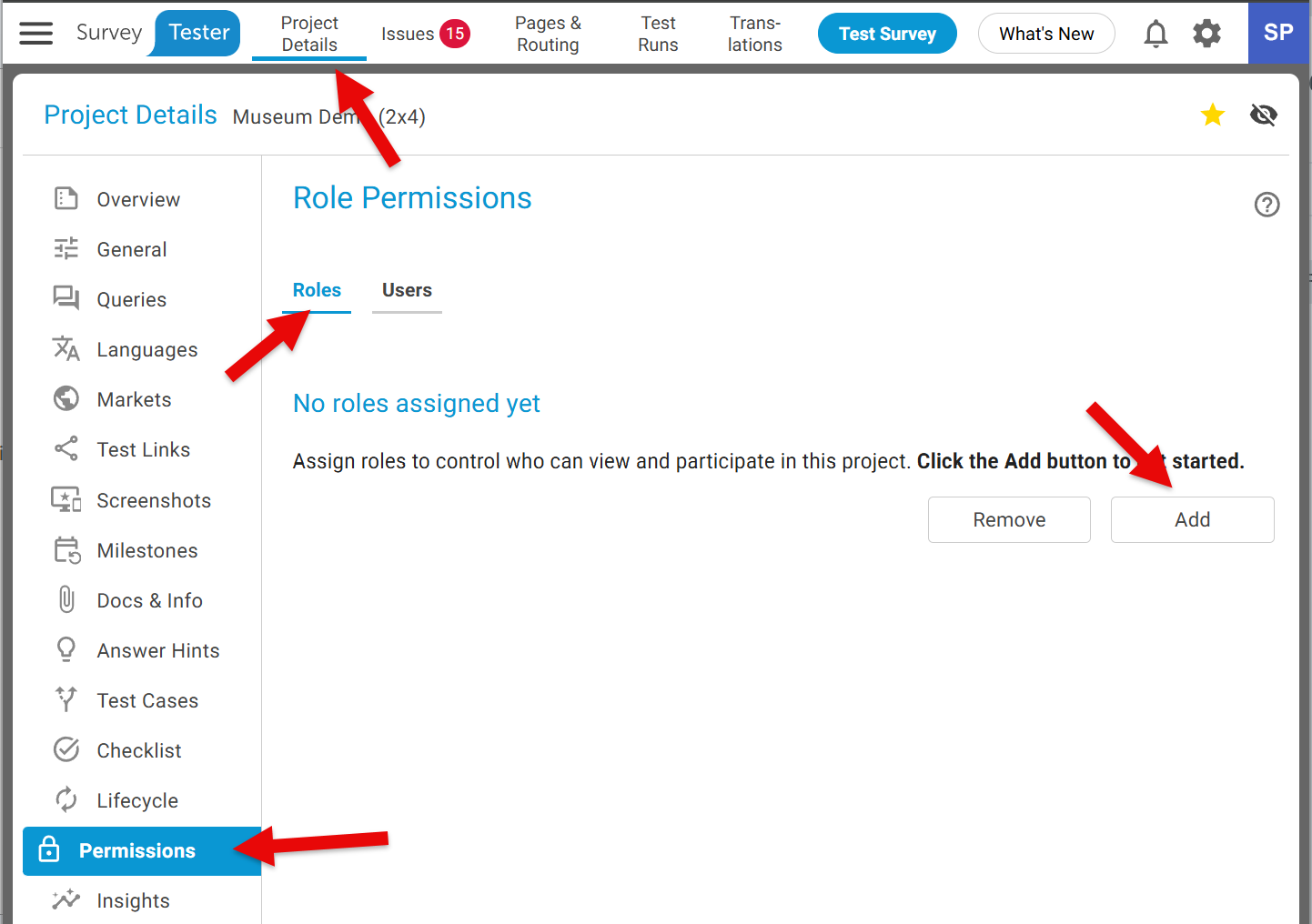
To add a ROLE:
-
Project Details -> Permission -> Roles -> Click the Add button
-
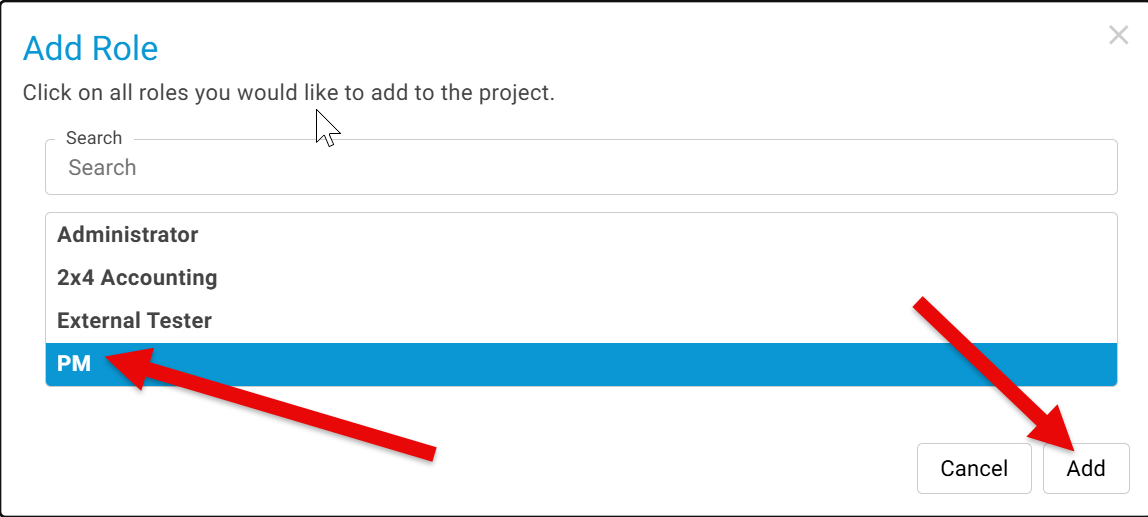
Select Role -> Click the Add button
Likewise, to add a USER:
-
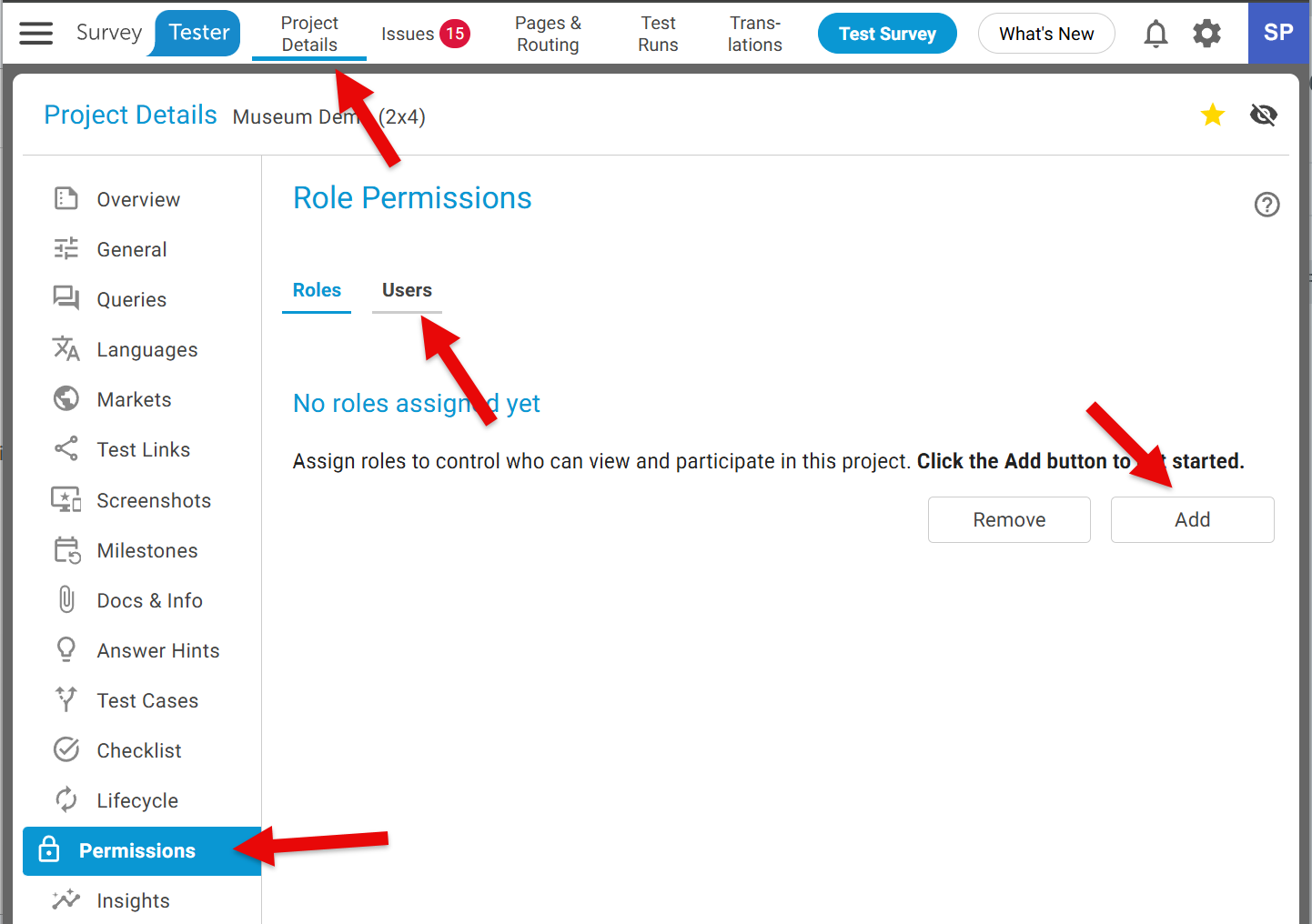
Project Details -> Permission -> Users-> Click the Add button
-
Select the user(s) -> Click the Add button
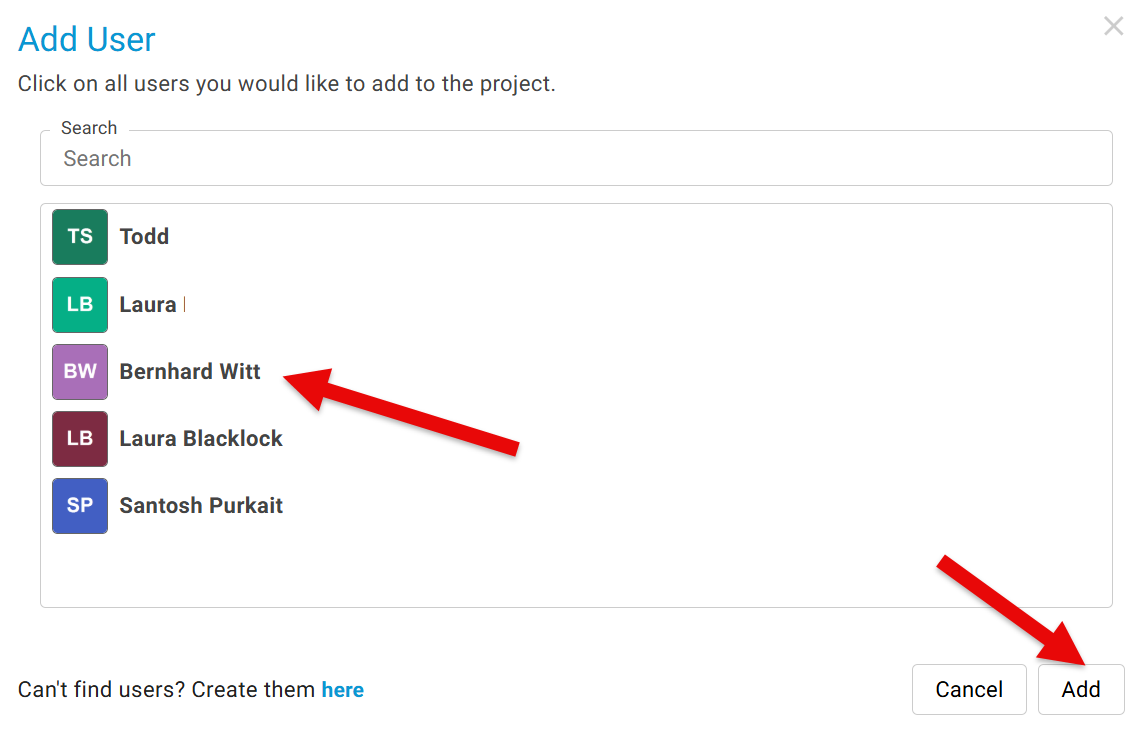
Please Note: You may see a project even when you are not assigned to it. That's because the ROLE you are assigned to has the permission to see all projects.
Project Access
This shows an overview of the users who currently have access to this project and the reasons they were granted access:
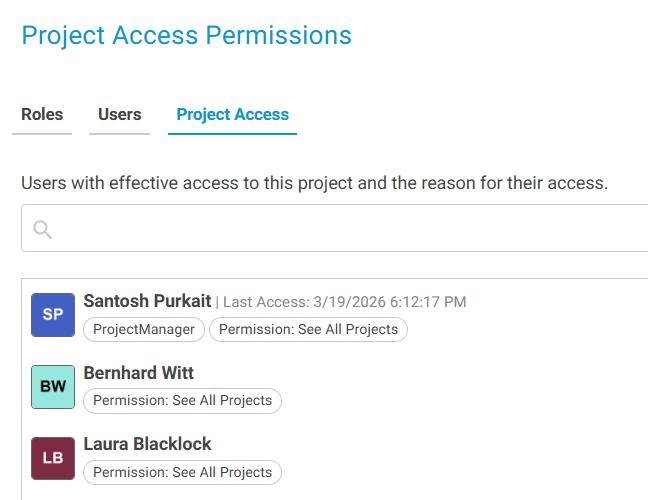
Each user listed has been provided access based on their responsibilities and their active role in supporting or managing the project.